
SCADA Migration & Modernization
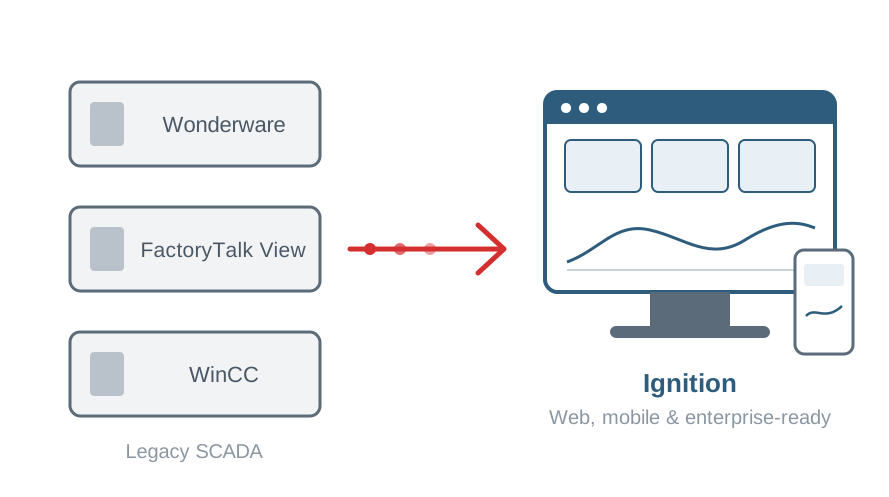
Replace aging Wonderware, FactoryTalk View or WinCC systems with Ignition, or bring an older Ignition installation up to date, without betting production on a single cutover weekend.
Sound familiar?
Signs it's time
Unsupported software and hardware
HMI stations run on old Windows versions that IT wants retired, and spare parts are getting scarce.
Licensing costs keep climbing
Adding a client, a screen or a new line means another license line item.
Knowledge lives in one person's head
The system is undocumented, and only one person knows how it really works.
Your data is stuck
Getting information into MES, ERP or the cloud means exports, spreadsheets and workarounds.
Platforms
Systems we migrate from
Wonderware / AVEVA
InTouch applications and older Wonderware systems.
Rockwell FactoryTalk View
Site Edition and Machine Edition applications.
Siemens WinCC
WinCC-based SCADA and HMI systems.
Older Ignition
Upgrades from 7.x and early 8.x, including Vision to Perspective.
Our approach
A phased migration that keeps production running
We rebuild to modern standards instead of copying old screens, and we never cut over without a rollback plan.
- 01
Assess
Inventory tags, screens, scripts, alarms, historian data and integrations, and decide what to keep, rebuild or retire.
- 02
Plan
Define the target architecture, UDT model and screen standards, plus a cutover and rollback strategy.
- 03
Build & convert
Import tags from existing exports where possible and rebuild screens to modern standards rather than copying old ones.
- 04
Parallel run & cutover
Run alongside the legacy system, validate against it, then cut over area by area during planned windows.
What's included
What we deliver
- Migration assessment: A clear picture of scope, risks and effort before you commit to a full project.
- Tag & UDT conversion: Existing tag databases restructured into reusable Ignition data types.
- Modernized screens: Rebuilt to ISA-101 principles, with web and mobile access in Perspective.
- Alarm & historian migration: Alarm configuration carried over and rationalized, and historical data migrated or kept accessible.
- Integration rework: Reports, scripts and database connections rebuilt on Ignition's modern tooling.
- Secure deployment: Role-based access, SSO/MFA and version-controlled projects from day one.
Typical deliverables
- Migration assessment and plan
- Converted and rebuilt Ignition project
- Cutover and rollback procedure
- Validation checklist against the legacy system
- Updated documentation
- Operator training on the new system
Technologies we work with
Every project is secure by design, with role-based access, SSO/MFA and version control built in.
FAQ
Common questions
Can we migrate without shutting down production?
In most cases, yes. Ignition runs in parallel with the existing system while we build and validate, and the final cutover is scheduled area by area during planned windows to keep downtime to a minimum.
Do we need to replace our PLCs?
Usually not. Ignition has native drivers for Allen-Bradley, Siemens and Modbus devices, plus OPC UA, so it connects to the controllers you already have.
What happens to our historical data?
Depending on your needs, we migrate it into Ignition's historian or keep the legacy data accessible for reporting, so you don't lose your history.
How long does a migration take?
It depends on the number of screens, tags and integrations. The assessment phase gives you a realistic schedule and quote, either fixed-price or time & materials.
Related services
Often paired with
Have a project in mind?
Tell us what you're working on. We typically reply within one business day.